Localization
Simple Tips for Basic Localization Engineering
Learn essential tips for effective localization engineering to enhance translation efficiency and reduce costs in document preparation.
Note: This blog post was originally written in Japanese for our Japanese website. We used our machine translation platforms to translate it and post-edit the content in English. The original Japanese post can be found here.
In modern life, almost everyone uses a PC, smartphone, or tablet, but few people are consciously aware that they’re interacting with a user interface (UI) when they do.
What we now think of as the modern computer has only taken its current form relatively recently, and it’s clear that the evolution of UIs has helped drive the widespread adoption of digital devices (many of you have likely seen even young children skillfully using touchscreens). By looking back on the history of UIs, we’d like to explore how they have evolved — and also touch on how we translate them.
There are many kinds of interfaces that connect people and tools. For example, between a person and a car, where the steering wheel and brakes serve as the interface. And between a person and a computer, the physical connection points are the keyboard and mouse.
In this post, we’ll focus on the interface people use to issue some kind of command on a computer and have it carry out the processing. A wide range of interfaces have existed between people and computers over the years.
The origins of UIs in computing began with batch interfaces, where instructions punched onto tape or cards were read and executed. Later, to make it easier for users to issue more flexible instructions, interfaces evolved into command-line interfaces (also known as CUI or CLI), where commands are entered directly as text – marking the birth of what we now call the UI. Then, as computer’s graphics capabilities improved, graphical user interfaces (GUIs) emerged from the 1980s onward, becoming the roots of the icons and tiles we interact with every day. Today, when people say UI, they generally mean a GUI.
With the advent of GUIs, we could interact with windows and apps more intuitively. For example, instead of typing a text command to launch an application, we could simply double-click an icon that represents it. As a result, the number of people able to use computers grew explosively. Windows 95 is often credited as a key driver of this GUI revolution. And it’s clear that the widespread adoption of computers later helped pave the way for the spread of smartphones.
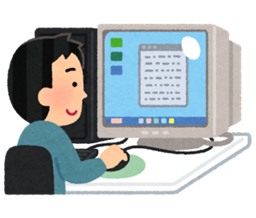
In addition to computers, the spread of the internet led to the emergence of websites, and with that, came the job of designing them. As computer performance improved and networks became faster, websites rapidly evolved, expanding beyond text to incorporate images and videos.
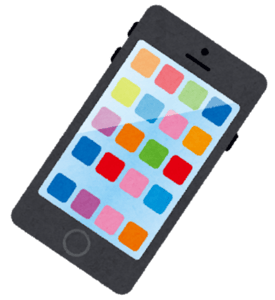
Then, with the arrival of smartphones — beginning with the iPhone — UIs were given their ultimate form. Smartphones firmly established themselves as devices that are always portable, always connected to the network, and always able to evolve. Touch panels enabled intuitive interaction, and commands and input by voice also became possible. This was the birth of an interface beyond the GUI: the natural user interface (NUI).
What problems and challenges do UIs face? Above all, UIs must respond to people’s emotions. Users want interfaces that are easy to understand and quick to respond. But conversely, if an interface feels hard to understand or slow to respond, they may give up on using it or even come to dislike it, regardless of the product’s inherent quality. You could say UIs have evolved to address this issue.
There is CUI, where users typed command lines close to computer language; GUI, which (to some extent) removed the need for specialized knowledge; and NUI, which enables intuitive operation, making it usable even by young children.
What lies beyond that is said to be the organic user interface (OUI). One definition is: an OUI is a UI with a non-flat display device that changes in response to physical input. OUIs are characterized by displays that can change into any shape and can function as both output and input devices. Because there are still very few devices that actually embody this concept, it remains somewhat abstract and lacks concrete examples. That said, it’s expected that something beyond today’s devices will emerge. For instance, something like an existing whiteboard that can instantly become both an input and an output device.
Because a UI is part of software and applications, when a product is used in different countries, the UI is localized into the local language.
Localization is not just about translating text; it also refers to optimizing everything, including design, terminology, and formatting, so that it’s accepted in each region.
When translating a UI, it’s important to keep in mind (just as with its design) that you should value the user’s feelings. Will the wording create confusion? Will users be able to select the right option? Could it be interpreted as an incorrect instruction? Making decisions with empathy for the user is essential.
Sometimes, you may need to make judgment calls that go beyond the source text. Doing so requires the knowledge and experience to make those high-level decisions, as well as a solid working relationship with the client. It’s important to keep in mind that there are times when something matters more than sticking strictly to the original text.
In this post, we introduced the history and evolution of the UIs you see every day. Because UIs are an essential element in how people operate computers, UI translation in particular requires advanced judgment that stays attuned to users’ emotions. You might also find it interesting to look at a variety of websites and applications while considering what makes a UI easy to use and understand.
With over 30 years of experience in technical translation, Kawamura International’s strengths include ensuring high translation quality and responding flexibly across a wide range of fields. The company is particularly strong in IT translation and is certified as an SAP Global Certified Partner in the UI and localization fields.
In addition, if requested, we can use Rigi to solve various challenges in UI translation for web applications and streamline the entire localization process. Because UI translation normally requires a great deal of effort, Rigi can significantly improve efficiency — so we encourage you to try it out and add the option to our translation services. If you have any questions or want to discuss about requesting translation work, please feel free to contact us.
Learn essential tips for effective localization engineering to enhance translation efficiency and reduce costs in document preparation.
DITA is a format often used for manuals. Even if you're not planning to localize your documents, DITA can be a big help in digital transformation.
Explore how data annotation enhances AI training and improves data management, making your daily work more efficient and organized. Learn more now.
Connect With Us
